-
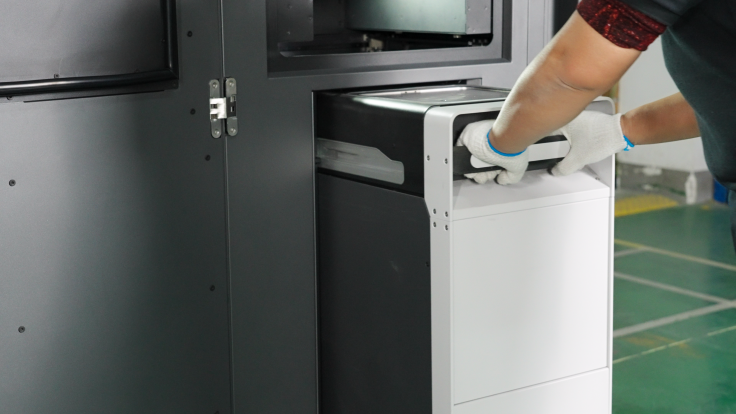
Prepare your Build Unit 220 and make sure that your Build Unit 220 is installed in place
-
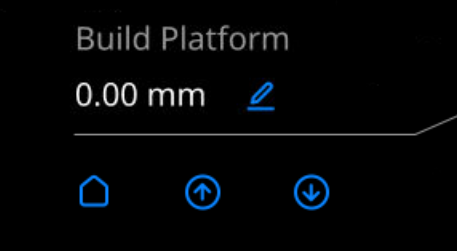
After the Build Unit 220 is installed in place, raise the Build Unit 220 to the highest position. In the printer's "Machine " interface, press and hold the "↑" button under the printing platform until the build platform rises to the highest position.
-
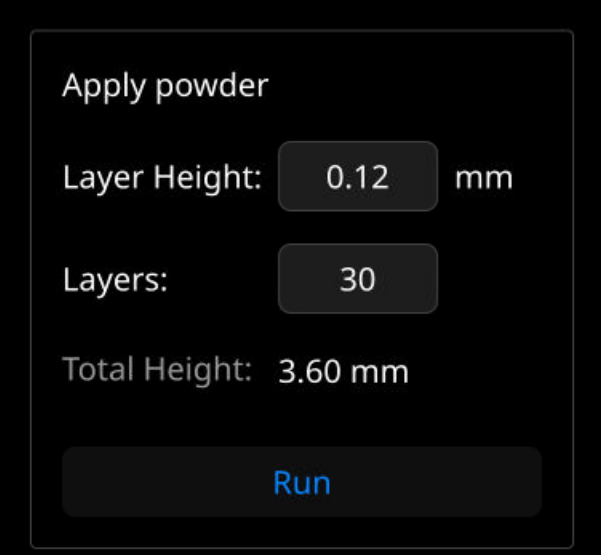
Before starting the printing process, you need to pre-deposit powder to ensure a flat bed before proceeding to the next step. In the printer's control interface> Machine Control Window, set the powder layer height to 0.12mm and the number of layers to 30. Click "Deposit Powder" to activate the automatic powder deposition process.
-
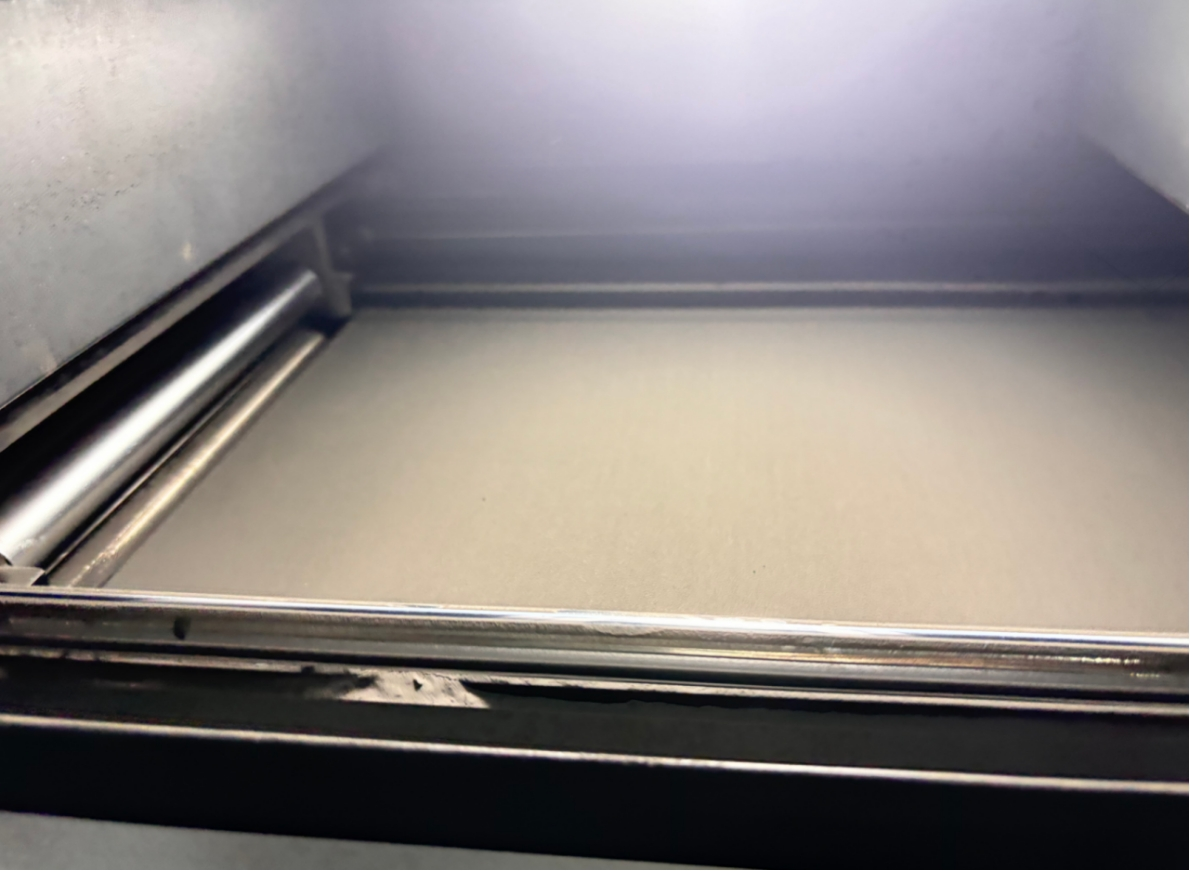
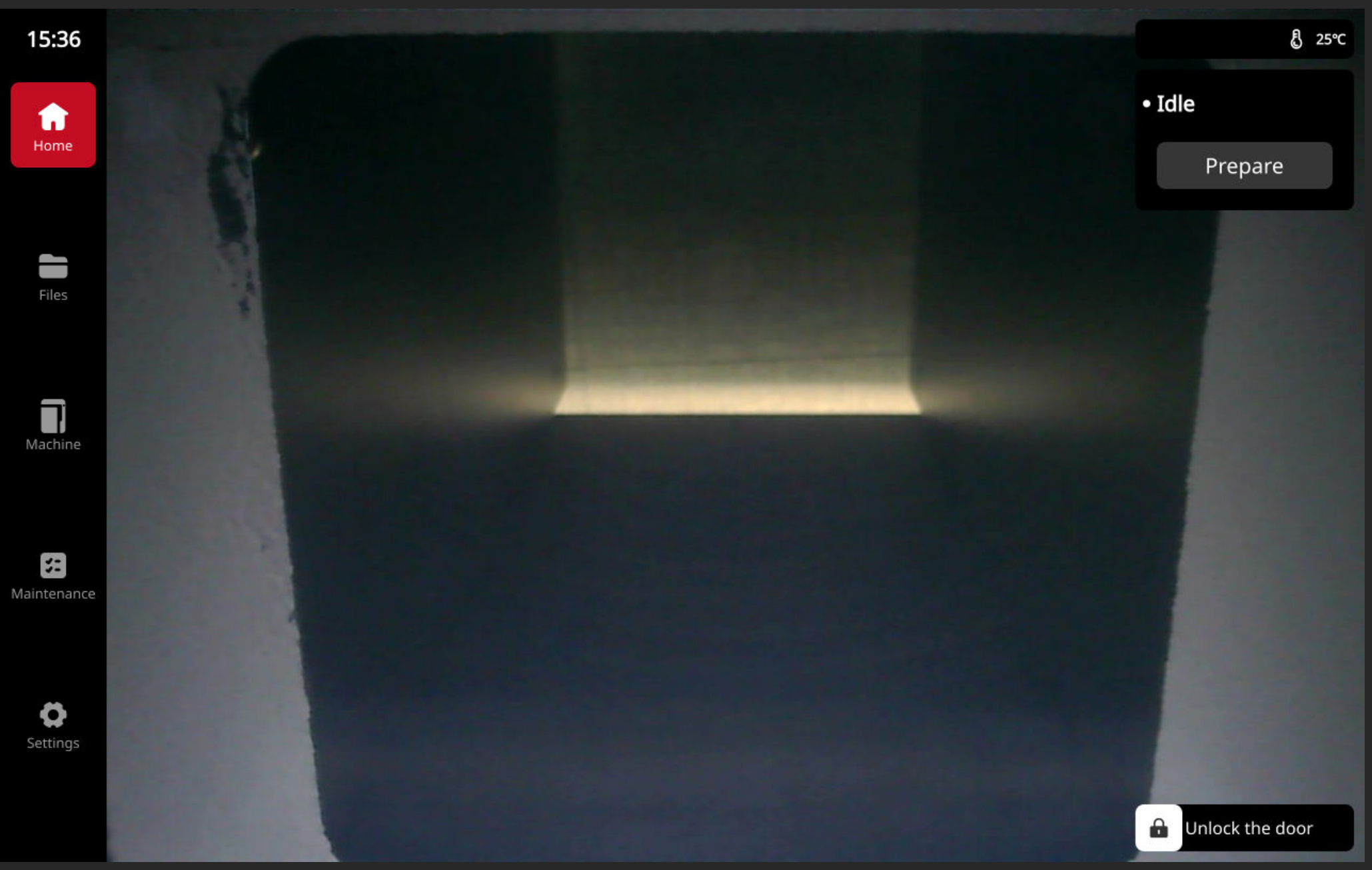
You can observe the powder laying status on the screen. If the powder surface is not smooth, you need to manually increase the powder layer again. Be sure to ensure the powder surface is smooth, otherwise the printing may fail.
-
In the printer Machine > Atmosphere interface, select the atmosphere mode. You have selected the atmosphere mode in your slice file, and it must be the same as that set in your slice file, otherwise you cannot start printing.
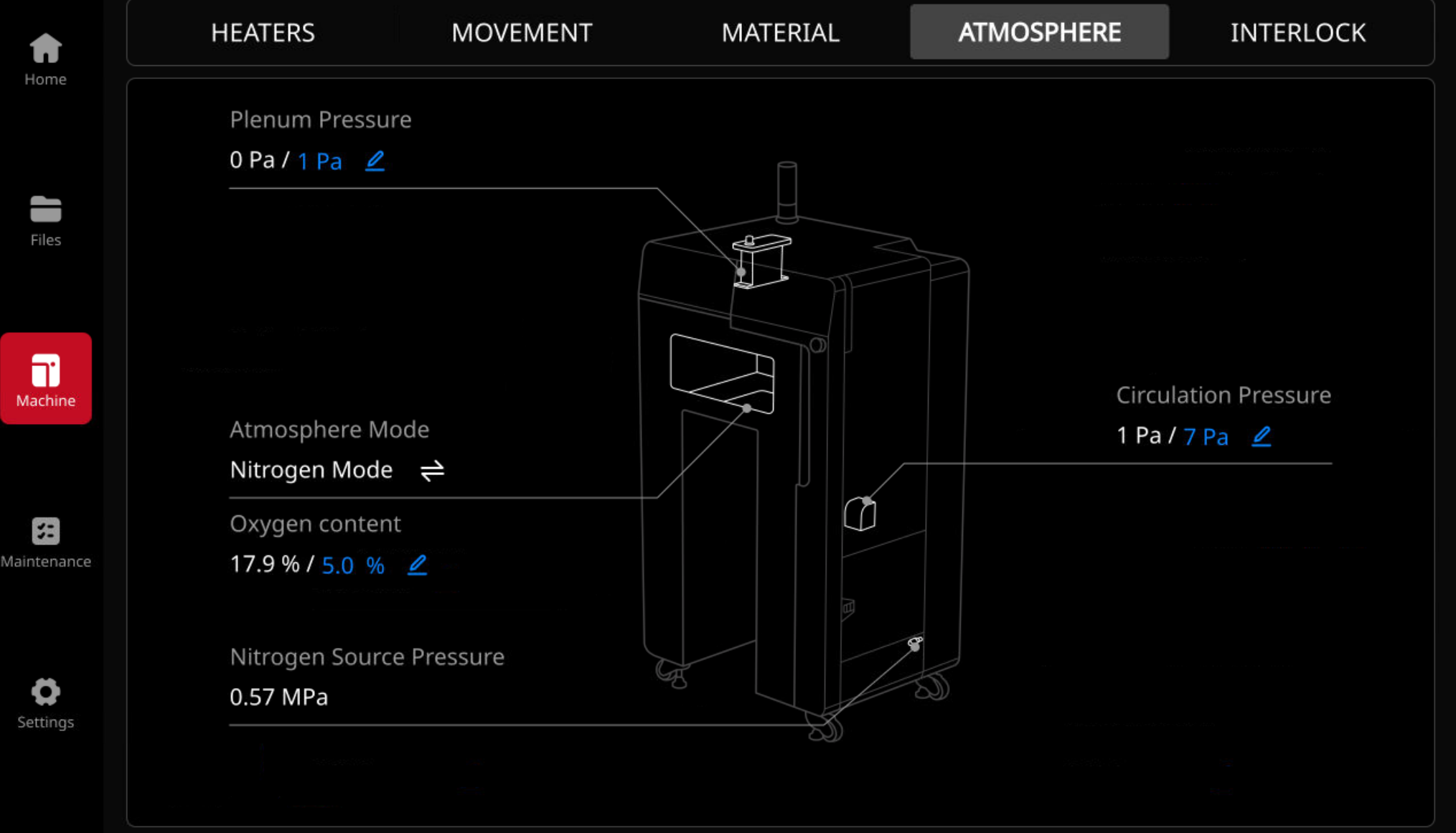
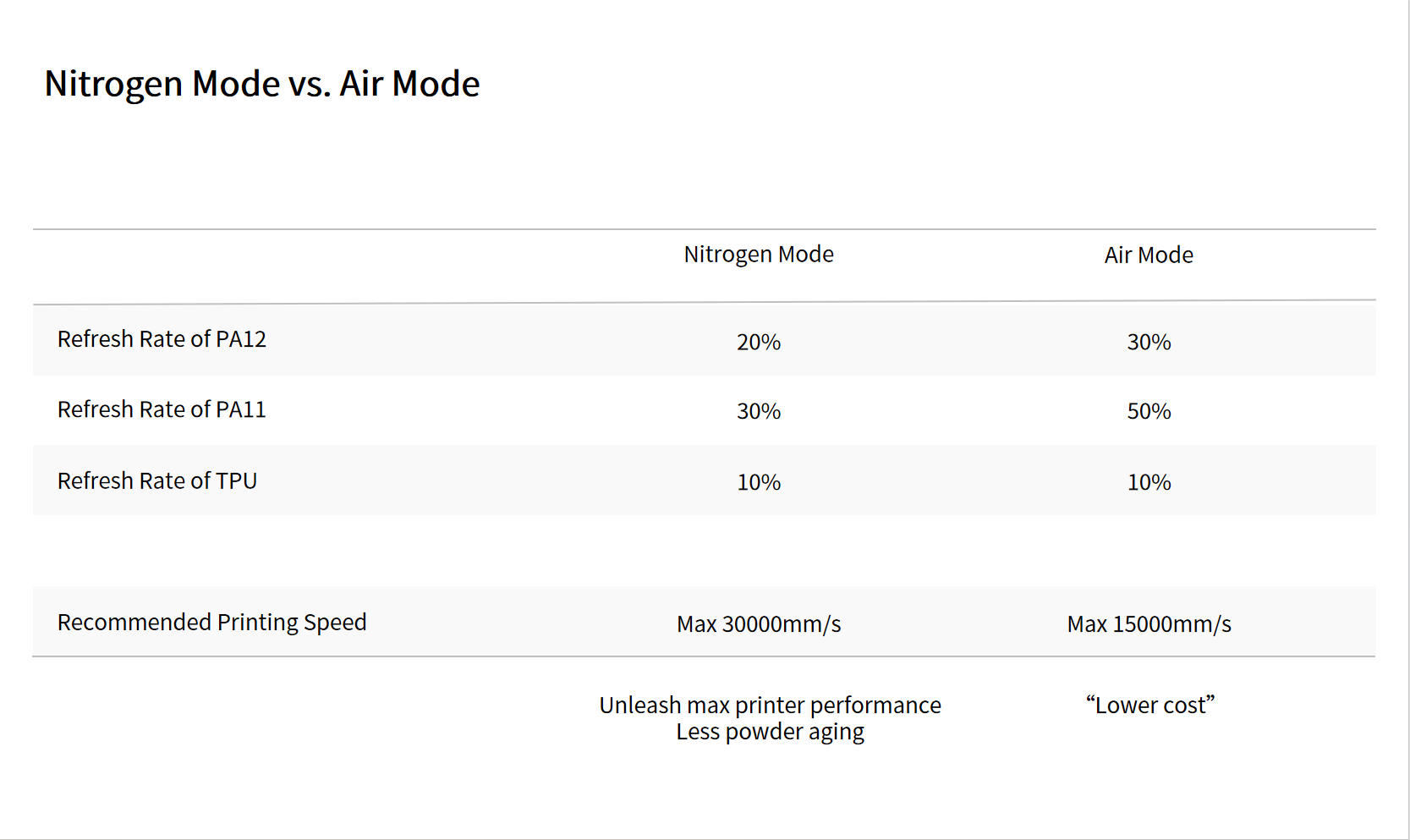
The refresh rate (new powder rate) for each material is slightly different in air or nitrogen mode. We recommend that you use nitrogen mode.
- For example, with PA12, the refresh rate is approximately 30% in air mode, while nitrogen mode requires only about 20% of the new powder. In nitrogen environments, less new powder is needed compared to air mode because nitrogen mode enables faster printing speeds, which helps prevent rapid powder aging.
We provide a list of recommended refresh rates for each material. You can refer to the following values to select an atmosphere mode and set the refresh rate for your material.
-
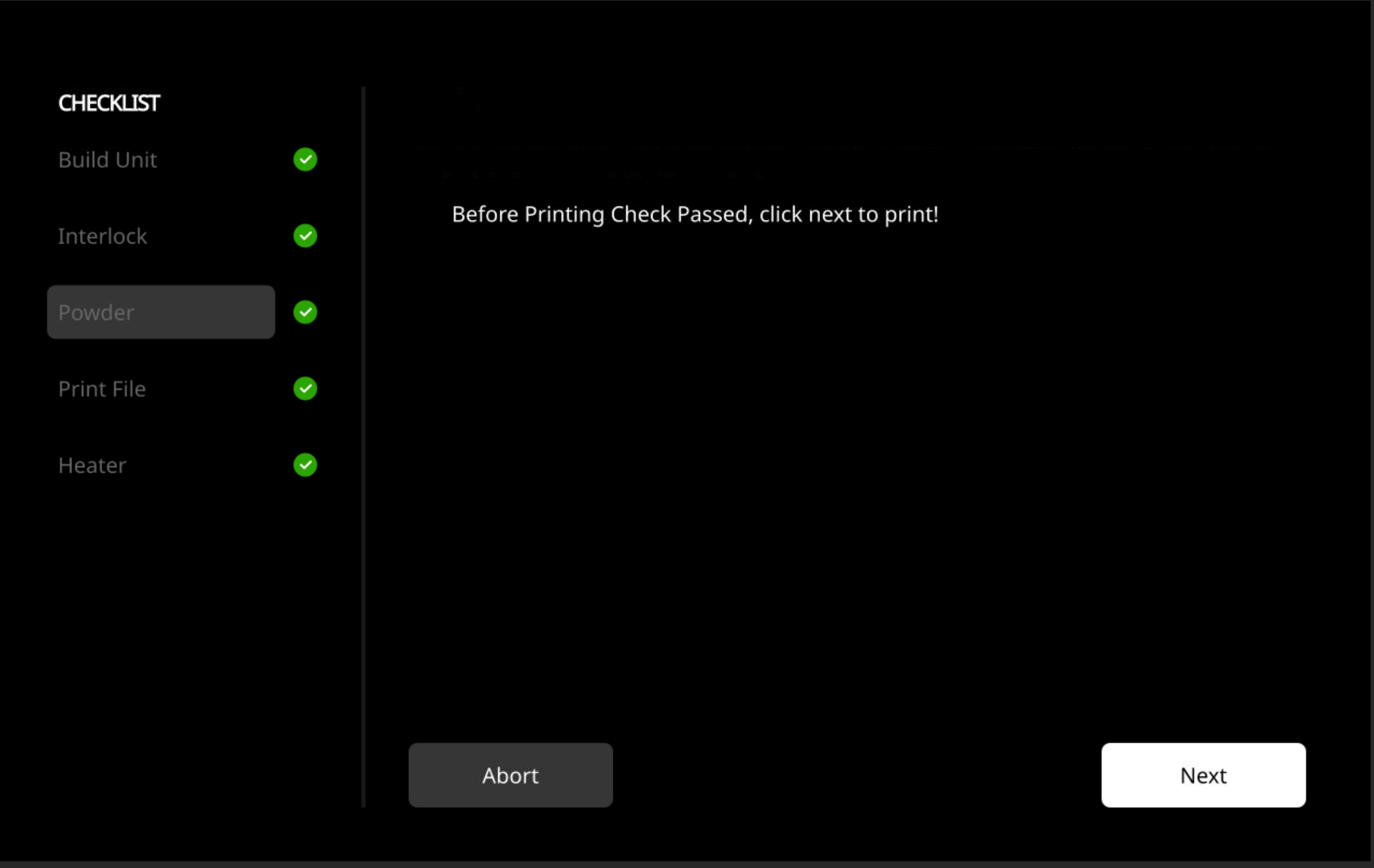
After powder coating is completed, close the printer door. Click the "Prepare" button above the touch screen and follow the prompts until the device is ready for printing. Proceed to the next step only after preparation is complete. Wait until all checks are completed, then click Next.
-
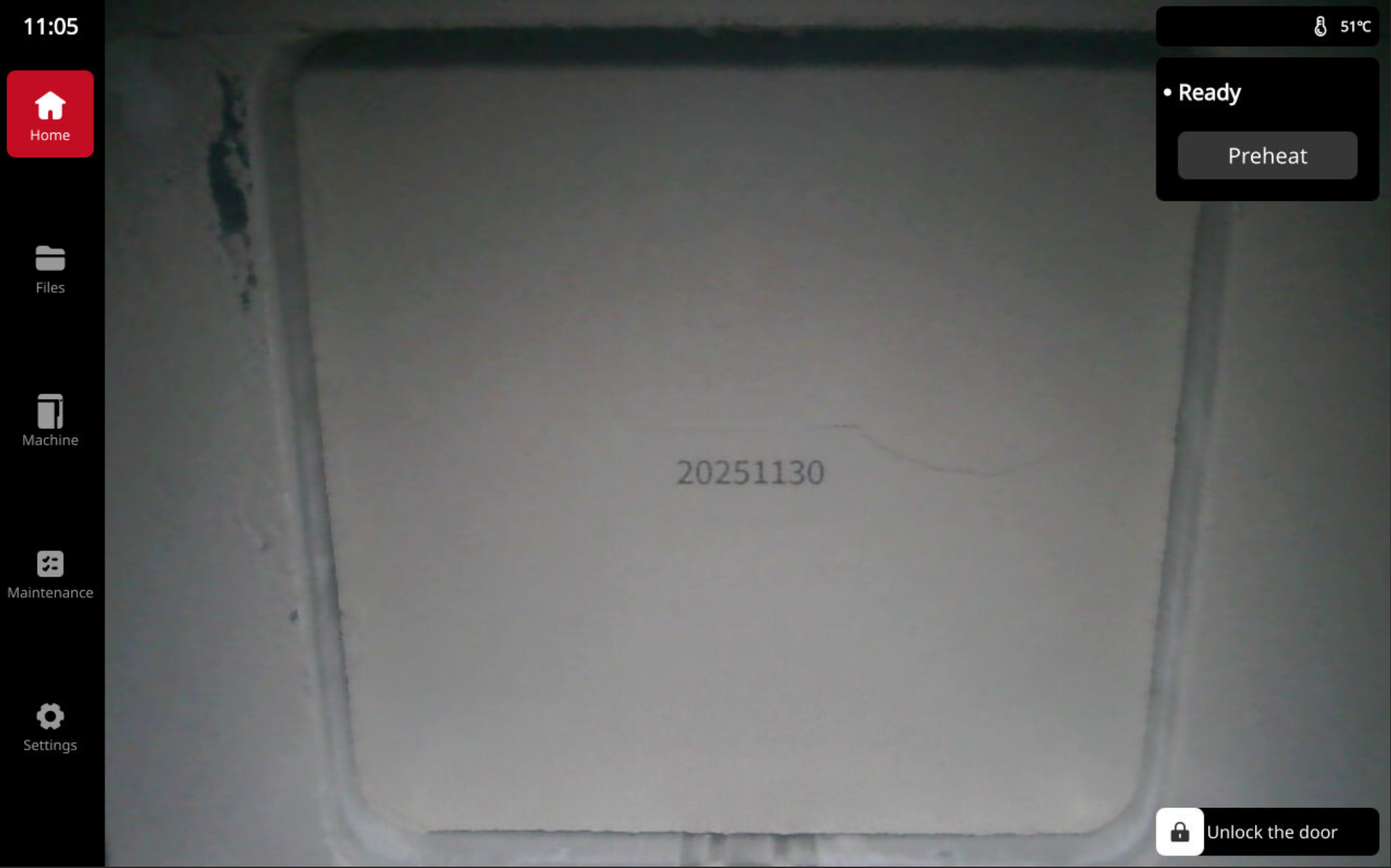
At this point, the printer status in the upper right corner of the main screen changes from "Idle" to "Ready". You can click "Preheat" to warm up the printer for faster printing. You can also skip this step.
-
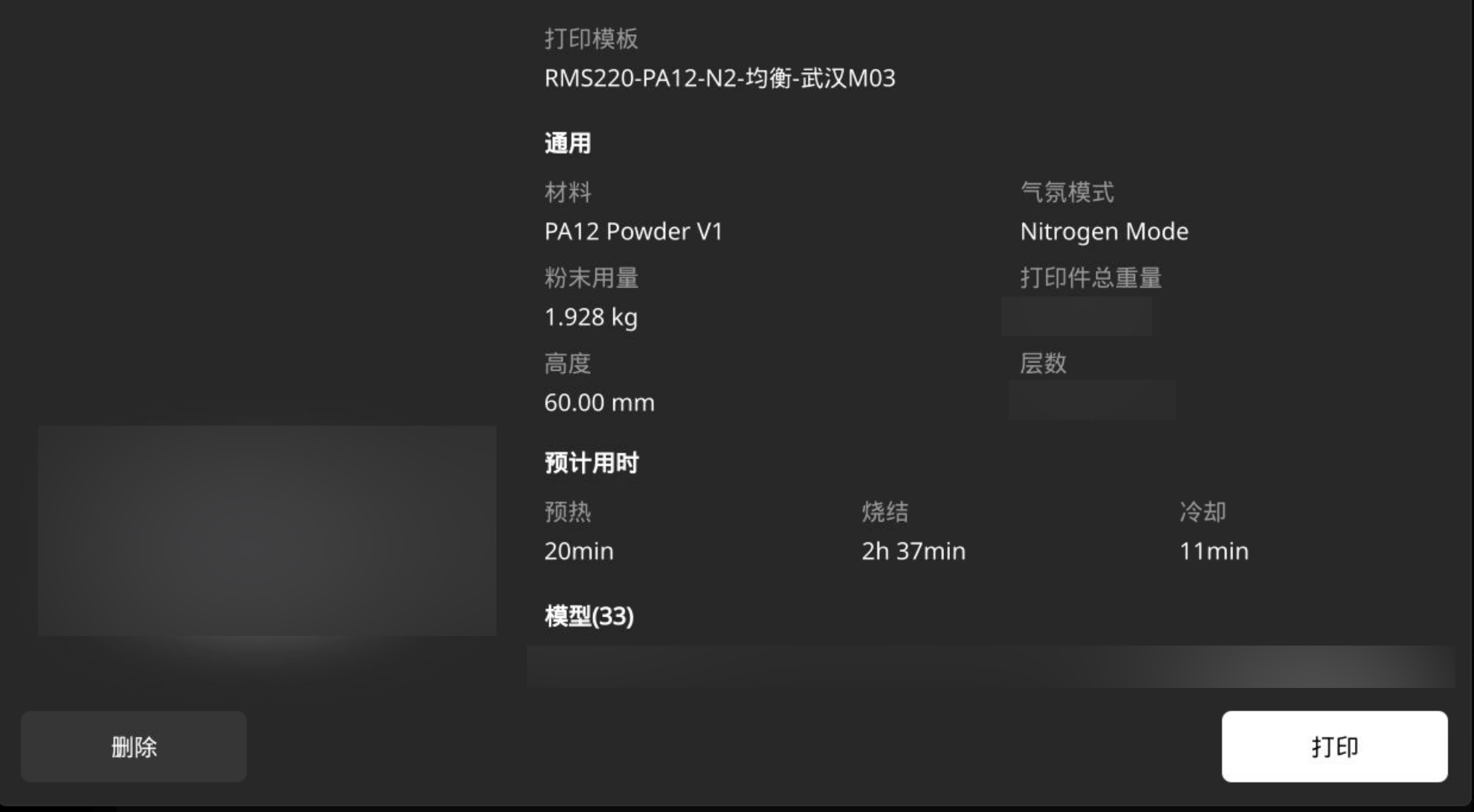
You can directly click the "File" button in the left navigation bar of the touch screen, select the required print file on the file page, and click "Print" to initiate the print.
-
The printer starts printing. You can view and monitor the print process from the main interface. You can also observe the window of the material cartridge on the right side of the printer to check the powder balance. If the balance is insufficient, fill the powder in time.