This page introduces the basic functions of the C220-P cleaning station touchscreen. For more information on its functions, please refer to the C220-P RaiseTouch User Manual.
¶ Main Screen
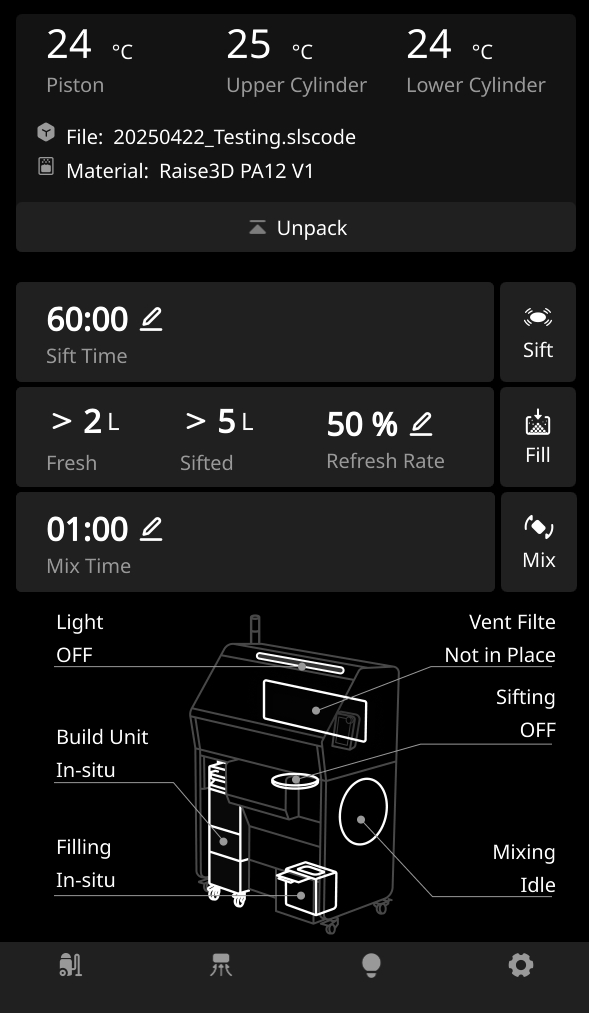
The touch screen allows you to perform a variety of operations including:
- Control Build Unit 220
- Perform the screening operation
- Perform the distribution operation
- Perform the mixing operation
- Check/set the status of each component of the Cleaning Station
¶ Build Unit 220 Control
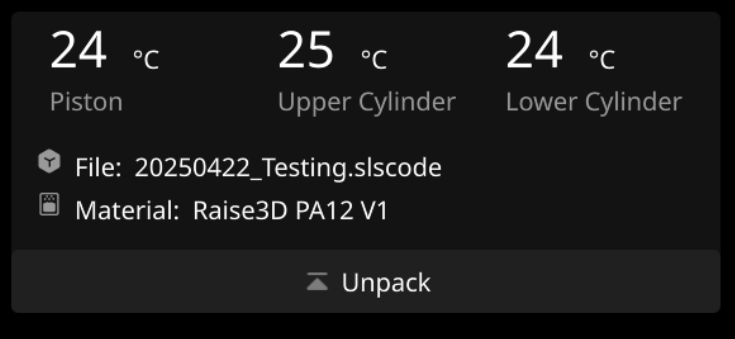
- Monitor the state of the Build Unit 220
- Displays the model name
- Displays the powder used
- Raise the Build Unit 220 platform to the highest position
¶ Sift
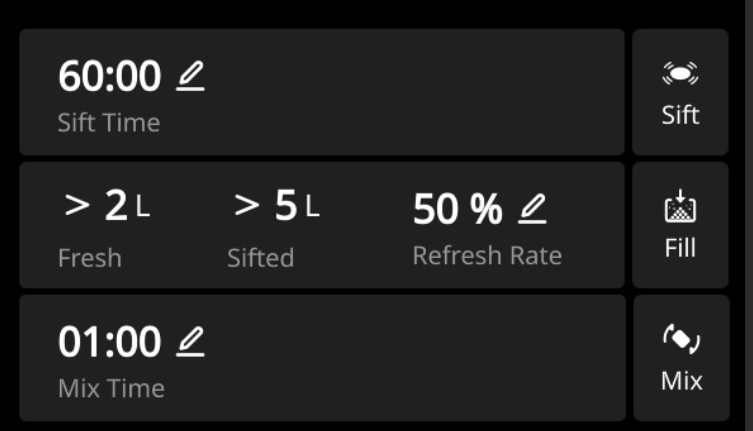
- Set up the siting time
- Perform sieve operation
¶ Fill
- Monitor the weight of new and old powder
- Set the refresh rate of the powder
- Perform blending operation
¶ Mix
- Set the mixing time
- Perform the mixing operation
¶ Monitor
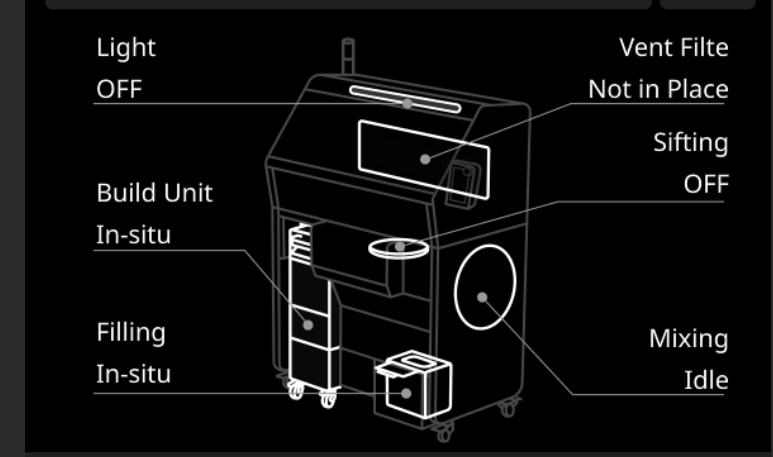
Monitor the running status of each component of the machine
¶ Menu Bar

- Turn on/off vacuum cleaner
- Start/stop the filter
- Turn on/off the light power supply set up
¶ Button Functions
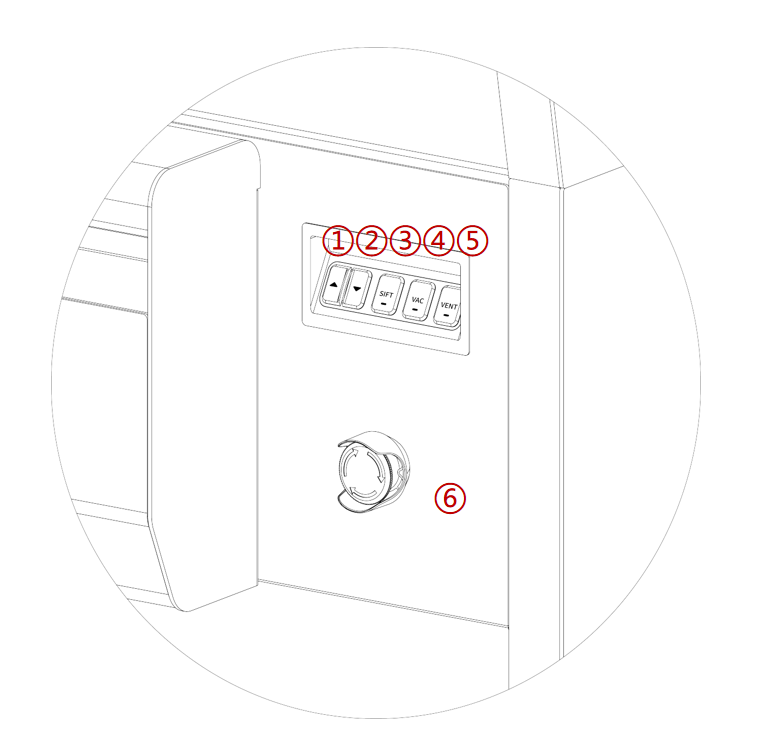
| # | Button Name | Description |
|---|---|---|
| 1 | Up Button | A button used to raise the print platform |
| 2 | Down Button | A button used to deactivate the print platform |
| 3 | Sift Button | A button used to start and stop powder screening |
| 4 | Vacuum Button | Physical controls used to turn the auxiliary vacuum on and off. |
| 5 | Vent Button | Used to start the ventilation circulation system inside the Cleaning Station to maintain good internal vision and ventilation. |
| 6 | Emergency Stop Button | Used to stop the operation of machinery and equipment in case of emergency. |